FREE CUT-FIRST RADIAL DYNAMIC EQ
Clean and cut
like nobody's watching.
Chicken EQ is free. Tenderizer presses local resonances back into the sound before up to 20 lettered radial bands take over, with eight times the travel to cut and a useful +3 dB available for lift. Pop Top finishes the top end. The full path adds 0 samples of latency.
Free and available now.
- Adaptive resonance control before shaping
- Cut-first gain law: -24 dB in, +3 dB out
- Up to 20 lettered radial bands (A to T)
- Pop Top finishing after the EQ
- 0-sample signal path
01 / TENDERIZERThe sound sets the problem
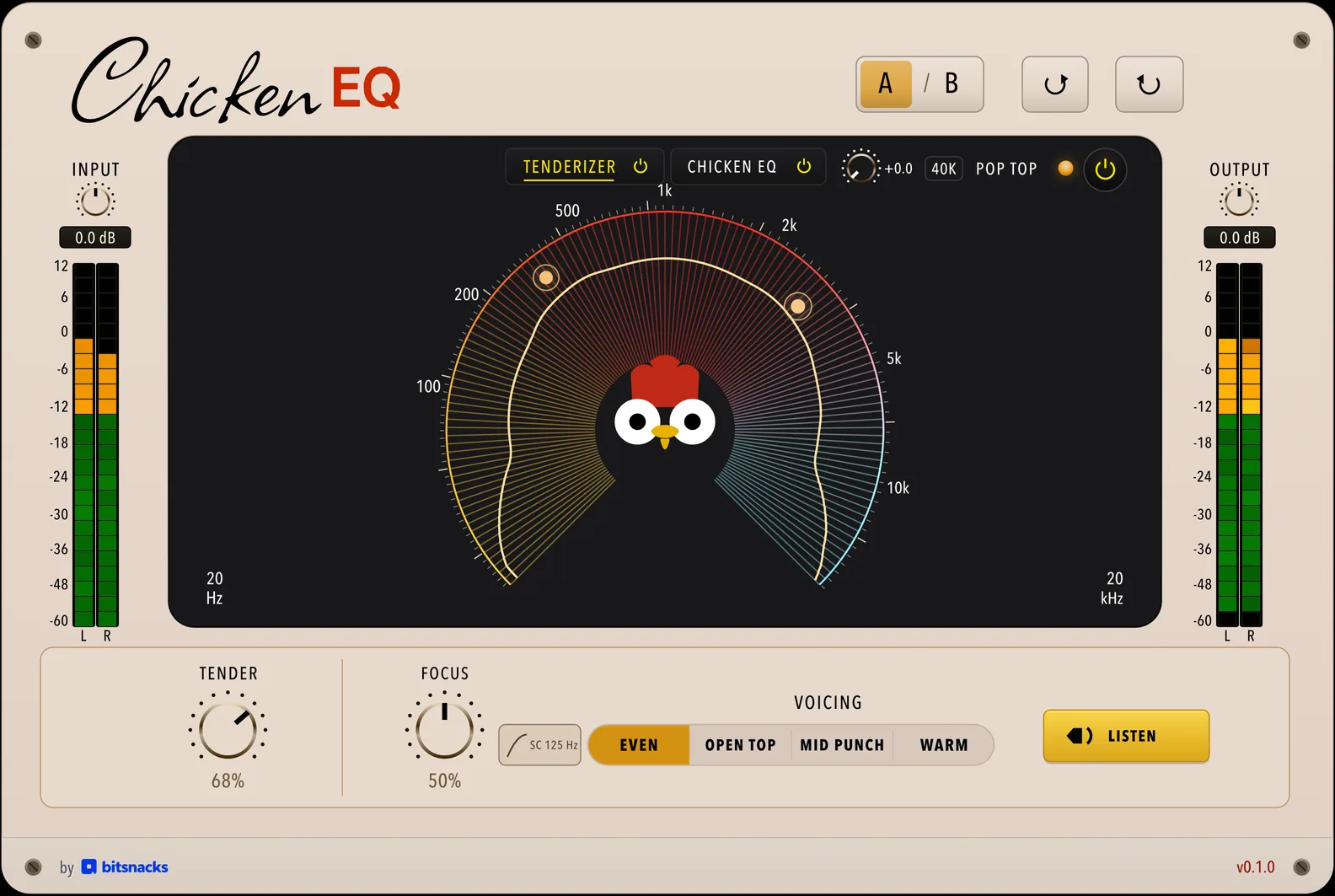
Its zero-latency detector presses narrow resonances back toward the local neighbourhood and pulls broad zones toward the chosen Voicing at matched loudness.
Tender sets the pull and pushes dynamic density past 70%, while Focus moves from broad balance to narrow resonance cuts alone. Hold Listen to hear the change.
02 / CHICKEN EQYou set the move
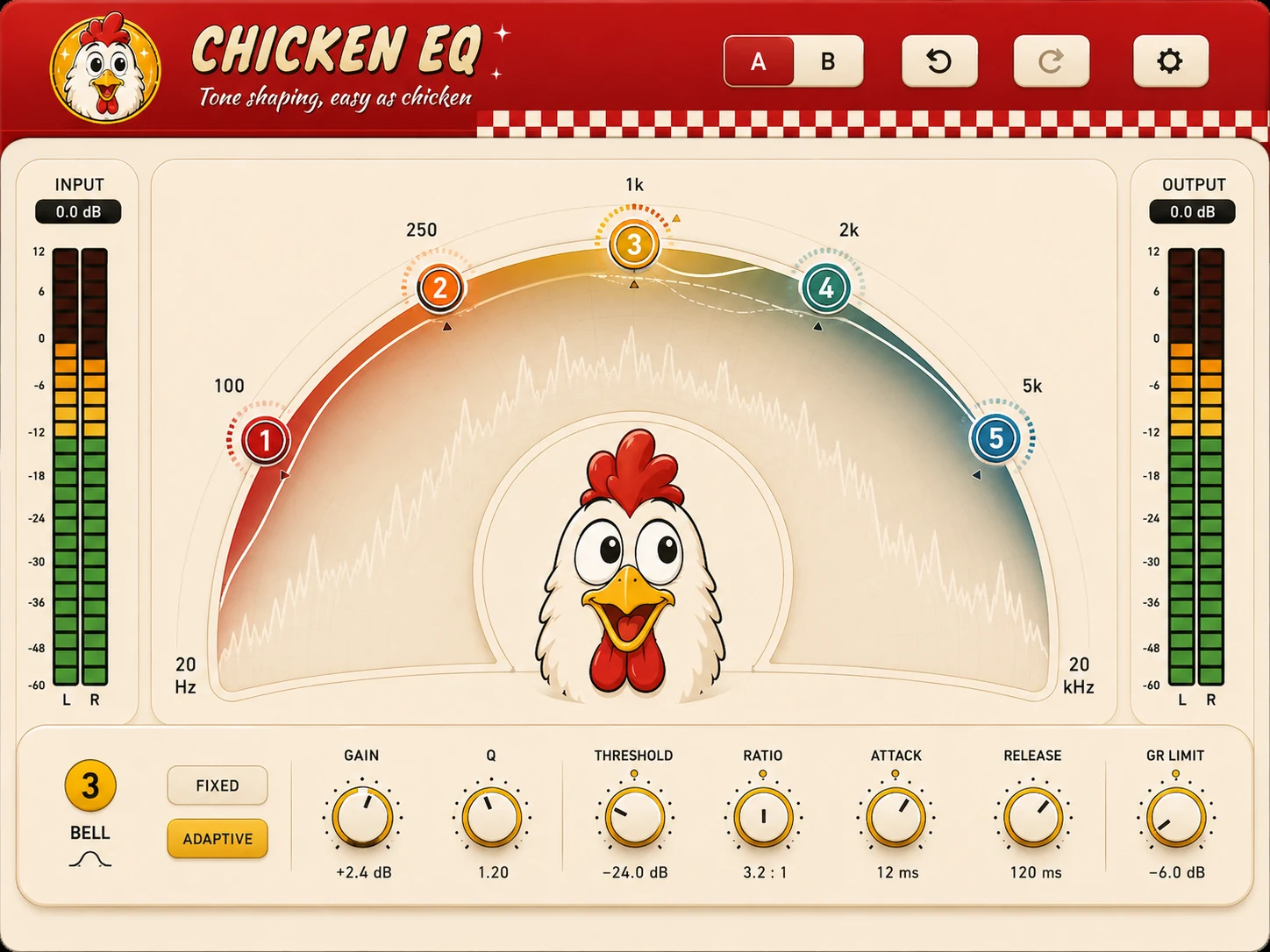
Six lettered bands (A through F) start ready on the arc, and a double-click adds more up to 20 (A through T) right over Tenderizer's live quills and contour.
Pulling outward shapes a broad musical bell up to +3 dB; pulling inward narrows into a surgical notch cut down to -24 dB. Double-click any Tenderizer hotspot on the arc to drop a surgical cut right on it.
THE CUT-FIRST RADIAL INTERFACE
A gain law
with room to cut
Removing a resonance gives the track its headroom back. Lifting around the same resonance does not. The radial layout makes that difference physical.
ANGLEFrequency follows the rim
The scale starts at 20 Hz in the lower left, passes 1 kHz at twelve o'clock and reaches 20 kHz in the lower right, so the node's angle always names a frequency.
DISTANCEEight times the room to cut
Pull inward for up to 24 dB of cut. The outer edge holds 3 dB of boost. A dB takes the same travel in either direction.
WIDTHBroad boosts and surgical cuts
Lift outward and the band opens into a wide musical bell (Q 0.7). Cut inward and it tightens into a surgical notch (Q 18.0). Drag the width ticks or turn the Q dial whenever you want a different shape.
FIND, CUT, CHECK
Push past boost.
Hear the problem.
Boost stops at +3 dB. Pull any band farther and it becomes a temporary +24 dB search probe at a narrow width; let go and the band moves to the frequency you found and cuts 12 dB at the highest Q (18.0). Press F to number likely problem frequencies on the arc, or hold V to play any cut back as a 24 dB boost without touching it.
Try the gesture
CLEAN / CUT / FINISH
Three stages.
One very tidy signal path.
01Tenderizer
Spectral cleanup happens here. Later EQ moves start with fewer resonances in their way.
02Chicken EQ
Up to 20 lettered radial bands share one cut-first gain law, opening into broad bells when boosting and narrowing into surgical notches when cutting.
03Pop Top
Top-end lift comes last, with a 10 kHz, 20 kHz or 40 kHz reach at the crown of the well.
Available free
Serious equalisation by
a slightly ridiculous chicken
Chicken EQ is its own complete free plug-in: Tenderizer, up to 20 cut-first radial bands, then Pop Top. Get it through your bitsnacks account and install it with Bitsnacks Vending Machine.